Showing posts with label web security. Show all posts

Monday, March 3, 2008

Are you clean? Let Google decide for you.


Interesting post on Roger Thompson's blog here about Google (in their infinite wisdom) deciding to block organic search links to sites they deem "bad." 90% of the time this works and is a good thing. If there is malware hosted on a site, you want Google to be blocking access from the search engine.

But what if there isn't malware there? What if it's a case of mistaken identity? The idea that it could take 12 months to get this fixed would do significant damage to the web sites that are mistakenly accused.

The answer? Actually there isn't one. You should be using a tool like Roger's LinkScanner or McAfee's SiteAdvisor as a matter of practice (yes, it's one of Security Mike's suggestions). But there isn't much you as a user can do besides cutting and pasting the URL into your own browser, which is a pain the backside.

Although hope is not a strategy, we can only hope that Google is right a lot more often then they are wrong...

Image credit: onedigitallife.com

Tuesday, December 4, 2007

When typos attack


We all make mistakes. In my case, it's pretty much all through the day. I tend to type pretty fast and let spell checker figure it out. But in the case of browsing the web, these innocent typos may not be so innocent.

According to a recent McAfee study, a new attack vector is called "typo-squatting," which preys upon the folks that make simple typos when browsing. The bad guys register domains that seem like the one you are looking for. Then the fun begins. "These squatter-run sites generate click-through advertising revenues, lure unsuspecting consumers into scams and harvest email addresses to flood users with unwanted email."

Since drive-by Trojans and other nasty web attacks don't need user interaction anymore, it's all the more important to make sure your devices are configured securely. Right, that's Step 2 in Security Mike's Guide. Step 3 focuses on securely configuring your browser.

Over the next week or so, when Step 4 goes live, you'll also learn about a utility that plugs into your browser to show whether a web site is good. None of these methods are totally foolproof, but the more layers of security you have, the more likely you won't get nailed.

Tuesday, November 27, 2007

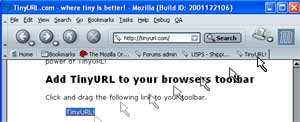
TinyURL could be hazardous to your health

As mentioned in this post by PR aficionado Steve Rubel, the TinyURL service went down briefly, which potentially leaves lots of other services in the lurch.

Personally, I felt no pain because TinyURL was down. That's because I don't use it and I don't think you should either.

Why? Because it allows potential attackers to hide bad URLs. Indulge me for a second, if an attacker wanted to get you to click on a link and browse to a web page with malicious cargo, all they would have to do is send you a spam email with a TinyURL link.

Most people would just click on it and their machine would be compromised. But since you are reading Security Mike's Blog, you aren't most people. Thus, you'll get into the habit of not clicking on any obscured links - like TinyURL provides.

I know the TinyURLs are much prettier. Beauty is only skin deep - remember that.