Friday, December 7, 2007

Can you hear that? It's a Skype vulnerability.


Those of you out there that really enjoy the free (or low cost) calling afforded by Skype need to be aware of a recent vulnerability found in Skype for Windows. TippingPoint's Zero Day initiative is responsible for the disclosure and pushing Skype to patch the issue. So update your Skype as soon as you can. You want to make sure you have version 3.6.0.216 or later.

For more information, check out Secunia's write-up of the vulnerability.

Tuesday, December 4, 2007

When typos attack


We all make mistakes. In my case, it's pretty much all through the day. I tend to type pretty fast and let spell checker figure it out. But in the case of browsing the web, these innocent typos may not be so innocent.

According to a recent McAfee study, a new attack vector is called "typo-squatting," which preys upon the folks that make simple typos when browsing. The bad guys register domains that seem like the one you are looking for. Then the fun begins. "These squatter-run sites generate click-through advertising revenues, lure unsuspecting consumers into scams and harvest email addresses to flood users with unwanted email."

Since drive-by Trojans and other nasty web attacks don't need user interaction anymore, it's all the more important to make sure your devices are configured securely. Right, that's Step 2 in Security Mike's Guide. Step 3 focuses on securely configuring your browser.

Over the next week or so, when Step 4 goes live, you'll also learn about a utility that plugs into your browser to show whether a web site is good. None of these methods are totally foolproof, but the more layers of security you have, the more likely you won't get nailed.

Monday, December 3, 2007

A downside to being a Billionaire


I guess the grass isn't always greener on the other side. Even if the other side is you having a couple billion dollars. I dug into the archives for this post by Ed Dickson, which described how NYC Mayor Bloomberg was victimized twice, almost simultaneously, by thieves trying to get at his multi-billion dollar wallet.

Check out Ed's post for the details, but let's take a quick look at what we can learn from these attacks. The first was a pretty standard check counterfeiting attack. Not much you can do about that. If someone gets a copy of your check, with the routing number and account number, then they can produce a likeness that could be accepted by any number of merchants out there.

The banks invest a lot in anti-counterfeiting marks on the checks, but in the end it's up to the merchant and your bank as to whether they will accept the fake. Most of the time they won't, but other times they may. That's why it's so important for you to keep on top of your finances and check your balances daily. Then you'll know if unauthorized charges are showing up. This is discussed in detail in Step 6 of Security Mike's Guide to Internet Security.

The second attack involved the criminal logging into Mr. Mayor's bank account and transferring money to a 3rd party financial institution. How did someone get his login and password? Who knows? It could have been anything. This is another example where staying on top of your account balances would have shown a weird transfer and you could have investigated it.

I'm sure Bloomberg has people to look into this. That's how they found the issues and with a high profile victim like the Mayor, the banks and law enforcement will work hard to bring the perpetrators to justice. It makes for good PR. I'm sure the bank also returned the money right where they found it, and no one but the criminals are any worse for wear.

So I guess the grass is greener after all for the Billionaires out there. If it's not, you certainly can afford a lot of spray paint, sod or whatever else you want to use to make your grass seem greener.

Did you blink? You may have missed Firefox 2.0.0.11


That's right, the fine folks at Mozilla bungled one of the updates associated with 2.0.0.10. I could do some research to figure out what they messed up, but do you really care? Right, I didn't think so.

So just update to the latest version of Firefox and rejoice. Detailed instructions are on the Portal for Security Mike members.

Friday, November 30, 2007

Turn off Autorun - yet another reminder

Tony Bradley makes a great point on the Hack Report site about Autorun. Sure it seems convenient that when you load in a CD, DVD, or USB stick to take some automatic actions. Isn't is great to have the new Springsteen disc start to play once you put it in?

Actually, not so much. If any of that media is malicious, you've got no defense. If you remember back to the original Sony Rootkit issue from a few years back, most folks ended up installing the rootkit because they had Autorun engaged and the software automatically launched when the disc was loaded.

It was my Velvet Revolver disc that infected me. But I'm reasonably technical, so I was able to remove it pretty quickly.

I've already posted about this back in September in Autorun can be hazardous to your health. But I think it's important enough to mention it again.

So do yourself a favor and turn off Autorun. Detailed instructions are in Step 2 of Security Mike's Guide.

Security Mike Update: QuickTime 0day attack


The QuickTime 0day is out there and has gotten a lot of press this week. I've published an Update notification for Security Mike Members. Check out the Portal for instructions on how to deal with the issue. For the most part, the configurations shown in Security Mike's Guide protects against the QT attack, but there are exceptions.

Once again, thinking before you click is a good thing to do.

Tuesday, November 27, 2007

I'm back


My little flirtation with blogging using the capabilities built into Security Mike's Portal didn't last too long. It turns out Blogger is really a great blogging platform and the stuff built into the Portal sucks. Sucks really bad.

Sorry for the little diversion. If you have subscribed to the Feedburner feed (either through RSS or email) you don't have to do anything. If you do check out the web page, once again set your phaser to stun and point it at Security Mike's Blog.

Firefox 2.0.0.10 Update Posted


Another day, another Security Mike Update. This time Mozilla has updated the Firefox browser to 2.0.0.10 to address a pretty serious URI handling issue.

Step by step instructions are available on the Portal. Once you log in, hit PAGES, then SECURITY MIKE'S UPDATES, then PATCHES and you'll see the Update.

TinyURL could be hazardous to your health

As mentioned in this post by PR aficionado Steve Rubel, the TinyURL service went down briefly, which potentially leaves lots of other services in the lurch.

Personally, I felt no pain because TinyURL was down. That's because I don't use it and I don't think you should either.

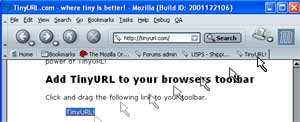
Why? Because it allows potential attackers to hide bad URLs. Indulge me for a second, if an attacker wanted to get you to click on a link and browse to a web page with malicious cargo, all they would have to do is send you a spam email with a TinyURL link.

Most people would just click on it and their machine would be compromised. But since you are reading Security Mike's Blog, you aren't most people. Thus, you'll get into the habit of not clicking on any obscured links - like TinyURL provides.

I know the TinyURLs are much prettier. Beauty is only skin deep - remember that.

Apple Mac OS X 10.4.11 Update Posted


As part of Security Mike's update service, subscribers get step-by-step instructions on how to apply the most recent patches from the major OS vendors.

Last week, Apple released a MASSIVE patch which updates the OS X operating system to version 10.4.11.

If you are a Security Mike member and have registered for the Portal, you can get detailed instructions at this link:
https://www.securitymike.com/site.php/spgs/read/apple-osx-update-nov-2007/

If not, you can subscribe at this link:
http://buy.securitymike.com

Saturday, November 24, 2007

I've moved to Security Mike's Portal

I'll no longer be posting to this blog. I've moved over to Security Mike's Portal.

If you get the feed via RSS or email, you don't have to change anything.

If you come to the Website, then you'll need to head over to:
https://www.securitymike.com/site.php/blog/read/security_mikes_blog/

See you there!

Wednesday, October 10, 2007

Should you trust automatic updates?


Jaikumar Vijayan asks an interesting question in this ComputerWorld column: Should you trust Microsoft (or anyone else) to patch for you? Should you be implementing an automatic patching strategy?

It gets back to a risk analysis. Are you more at risk by not patching (or patching when you get around to it) or taking the risk that a vendor would do a faulty update that will break something?

I can only rely on the data, especially for consumers and the vendors do a pretty good job. I can count on the fingers of one hand the number of times that a patch has been busted and needed to be fixed. I know there are millions of computers that get compromised because they are not patched.

Ultimately it gets back to what you are willing to do. If you are willing to analyze the patches and are disciplined about applying the updates, then I don't have a problem with you doing so. But if you aren't going to be religious about it, then turn on the automatic updates.

Jaikumar knows more than pretty much all the consumers out there. So he doesn't need to trust the vendor. You probably do.

Photo credit: Trust, originally uploaded by thorinside

It's Exploit Wednesday - Are you patched?

As described on Monday, Microsoft issued their monthly set of patches yesterday. There were 6 in all (as opposed to the 7 that they previewed). 4 are critical and have to do with Windows, Office and SharePoint.

Regardless of how Microsoft grades their patches, you should install them as quickly as possible. Once the patch is out there, the bad guys can reverse engineer the attack. That's why I have proclaimed the day after Patch Tuesday to be "Exploit Wednesday" as well start to see these attacks in the wild - as early as today.

So run Microsoft Update on your machine and install the patches. Here is the list of patches you should be applying. If there are no patches listed, then click the link to "check for updates" to make sure you've got the latest patches.


Once it is done, you can check the history to ensure the patches happened successfully.


Tuesday, October 9, 2007

Is Facebook playing lip service or the ostrich game?


I love the NY DA's office. These guys go after big hairy issues. Of course, they generate a ton of press for themselves, but it's all good because they are asking the right kinds of questions.

Per the All things Digital blog, Facebook is now under investigation for not adequately protecting minors. Investigators set up fake profiles and got solicited - and not in a good way. Of course Facebook is showing the right amount of deference and saying they take the issues seriously. Blah blah blah.

The fact remains that no one at Facebook is accountable for this. There doesn't seem to be a high profile security/privacy officer. That's ridiculous. MySpace has one, especially after they booted off 29,000 registered sex offenders. TWENTY NINE THOUSAND.

How many of them opened up shop at Facebook? Greater than zero, I suspect.

This is no time for Facebook to be burying their head in the sand. Zuckerberg has to stop focusing on how much money the company is worth and start assuring parents about the safety of their children. That kind of liability (once the lawsuits start flying) can turn over $10 billion into Napster overnight.

Yes, stopping hackers and making sure your machine isn't turned into a zombie is a critical goal of Security Mike's Guide. But I think the biggest impact I can hope to have is on the kids. They need to grow up fast in today's environment, and their folks need tools to teach them right from wrong.

Photo credit: Ostrich, originally uploaded by Dappers

Friday, October 5, 2007

Security Mike Update: QuickTime 7.2

Per Brian Krebs' great Security Fix blog, Apple has issued a patch to QuickTime for Windows users. If you use iTunes on Windows XP or Vista, that means you. So patch your devices ASAP. Here's how:

  1. Find Apple Software Update in your Programs Menu and click on it.
  2. The following dialog box comes up.

  3. Install it. You'll see in my screen shot that I am on Windows Vista and will need to authenticate as an administrator to perform the update.
  4. You'll see the following screen to confirm that it was installed. Then you need to restart.


  5. You are good to go.
Once Security Mike's Portal goes live on October 15, I'll just be providing these updates to subscribers. So enjoy for now. The best way to make sure you are on top of things is to buy Security Mike's Guide and get the update service free for 6 months.